
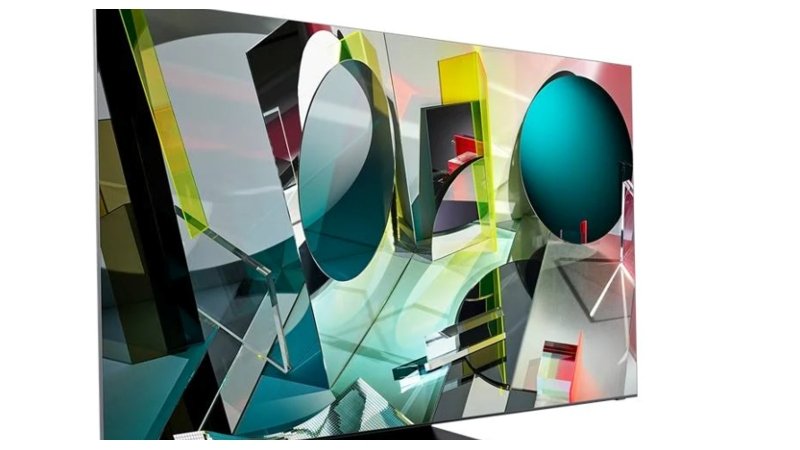
Buying a television can quickly become confusing when you start comparing screen sizes, display technologies, resolutions, HDR formats, smart features, and connectivity options. All features are not equally important to all users, so it is best to concentrate on what you will use.
Whether you are looking for a TV for your bedroom or a larger TV for the home entertainment center, Samsung has a variety of smart televisions available. When buying a Samsung smart TV, keep the following features in mind and how they will be utilized in your home.
Start with the Screen Size
One of the most prominent distinctions with televisions is screen size. It will depend on how you are going to use it, the available space, the viewing distance, and the size of the room.
Depending on the size of the living space, a smaller screen may be ideal for bedrooms, guest rooms, and small apartments, whereas a larger screen can be appropriate if you have a large living room. When purchasing, take measurements of the space in the wall or furniture before you buy and factor in the spacing of the screen and your typical sitting place.
A bigger TV may not necessarily be the best choice if your space doesn’t fit it.
Look at Display Technology
Display technology can make a big difference in how the content will look on the display. There are various types of display technologies available in the Samsung displays, so it is helpful to know the basic difference between them.
LED TVs use LED backlighting and they come in different sizes and specifications. The Quantum Dots and LED backlighting technology boost color and brightness. Samsung’s other display technologies are included on certain models.
Don’t just go by the name of the TV but by what kind of content you are interested in watching and the lighting of your room.
Check the Resolution
Resolution indicates the number of the image’s pixels. 4K resolution is common to most televisions and offers a greater level of detail than Full HD.
However, 4K can be especially helpful for larger screens, as the extra resolution pixels can help keep the image from losing detail at an appropriate viewing distance. But high resolution is not the only one that makes a picture good.
The visual interpretation of the image can vary with picture processing, display technology, content quality and HDR support.
Consider HDR Support
When viewing compatible content, the HDR mode (High Dynamic Range) can offer a wider range of brightness and color. It can make bright and dark parts of a picture look more detailed and provide a different look than standard dynamic range media.
When comparing a Samsung smart TV, check the picture technologies and HDR formats the TV supports. This is especially helpful if you watch movies or TV shows or stream them often, and they are available in HDR.
Review the Connectivity Options
A TV may need to connect to more than just the internet. Consider a gaming console, soundbar, Blu-ray player, streaming device, USB accessory, or other equipment.
Look at the number and type of HDMI and USB ports found in the device, as well as the wireless options. If you have a few devices already, be sure the TV offers the needed connections.
Do Not Overlook Sound
The most attention is usually focused on picture specifications, but there is also a sound aspect to a viewing experience. TV speakers are suitable for regular shows, streaming, and movies, while soundbars or external audio systems work best for movies, music, or larger entertainment areas.
If you want to hook up external speakers, ensure that the speaker has the appropriate audio connection and supports the technology you need before you buy.
Consider Your Room and Viewing Habits
A TV can have various functions in various environments. The comfort level of the TV can vary with the room lighting, type of seating, location of the screen, and distance to it.
Consider if you set the TV screen to the window or the light and if you sit in front or at an angle. These are important factors too, aside from the technical ones.
Compare the Complete Specifications
Once you have identified the features that matter to you, compare individual Samsung models rather than focusing on a single specification.
Check the display technology and size, resolution, HDR support, smart features, connectivity, sound options, and physical dimensions. Also take into consideration your budget and the features of a higher level model that would be applicable for your television viewing habits.
Final thoughts
The most important features are those that correspond to your room, viewing, entertainment, and connected devices. Screen size, display technology, resolution, HDR, smart functions, connectivity, and sound are all factors to consider.
By comparing these specifications carefully, you can narrow down the range of smart TVs and choose a Samsung smart TV that provides the features you are most likely to use without paying for specifications that do not matter to your setup.