
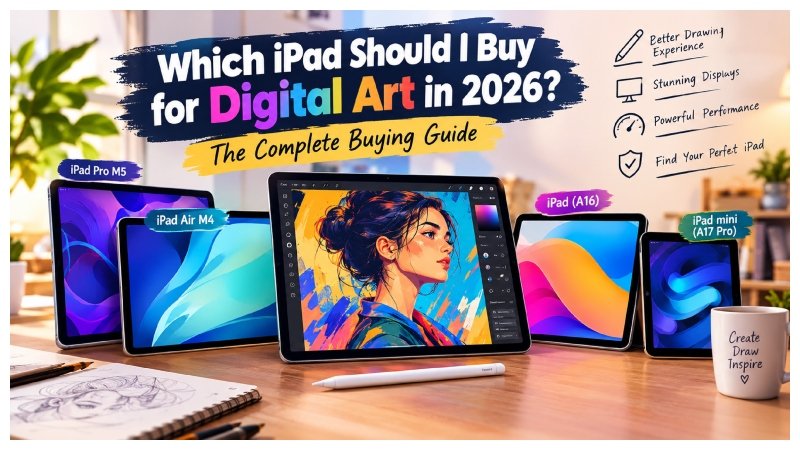
Choosing the right iPad for digital art can feel confusing because Apple offers several models with different features and prices. Whether you are learning Procreate, creating illustrations as a hobby, or producing professional artwork, the right device can make drawing easier and more enjoyable.
The best iPad depends on your budget, preferred screen size, and the type of artwork you create. Display quality, Apple Pencil support, performance, and storage all affect your experience. This guide compares the leading options to help you choose the right iPad for digital art in 2026.
Key Factors That Matter Most for Digital Art on iPad
Before buying an iPad, consider the features that make the biggest difference to artists.
Apple Pencil support: A compatible Apple Pencil helps you create precise lines and natural brush strokes. Pressure sensitivity changes line thickness, while tilt recognition helps with shading. Advanced features such as hover, squeeze, and barrel roll depend on the Pencil and iPad model.
Display quality: A laminated screen reduces the gap between the glass and display, making drawing feel more natural. P3 wide color helps artists work with a broader range of colors. A 120Hz ProMotion display also makes strokes and movements appear smoother.
Performance and RAM: A powerful processor helps run creative apps, complex brushes, and large canvases smoothly. More memory can support additional layers in Procreate, although canvas dimensions and project settings also affect layer limits.
Screen size: An 11-inch iPad offers portability and comfortable drawing space. A 13-inch model gives you more room for detailed illustrations and multitasking.
Storage: Art files, brushes, reference images, and apps can quickly fill your device. For many artists, 256GB is a practical starting point. Beginners with smaller projects may need less storage.
Best Overall Choice for Most Artists: iPad Air M4
The iPad Air M4 is an excellent choice for artists who want strong performance without paying the premium price of an iPad Pro. Available in 11-inch and 13-inch sizes, it offers a useful balance of power, portability, and creative features.
Its fully laminated Liquid Retina display supports P3 wide color. The M4 chip provides plenty of performance for illustration, digital painting, and many professional creative tasks. Apple Pencil Pro compatibility adds advanced drawing features that can improve your workflow.
The iPad Air works well with apps such as Procreate and Affinity. It can handle detailed illustrations, multiple layers, and complex brushes without requiring most artists to purchase a more expensive model.
Choose the 13-inch version if you want a larger canvas for detailed projects or plan to use your iPad as your main drawing device. The 11-inch version is better for students, commuters, and artists who regularly travel with their equipment.
For serious hobbyists, illustrators, comic artists, and students, the iPad Air offers an excellent combination of features and value.
Best Premium Option: iPad Pro M5
The iPad Pro M5 is designed for artists who want a premium drawing experience and powerful hardware. Its Tandem OLED Ultra Retina XDR display provides deep blacks, strong contrast, and vibrant colors.
ProMotion supports adaptive refresh rates up to 120Hz, making drawing and scrolling feel smoother. This feature is particularly useful for artists who spend hours sketching, inking, or working on detailed illustrations. Selected configurations also offer nano-texture glass to reduce reflections in bright environments.
Higher-capacity configurations provide additional memory for demanding workflows. This can help professionals working with complex artwork, animation, and large creative projects.
The iPad Pro is ideal for full-time illustrators, animators, colorists, and artists who want the best available display experience. However, its premium features may not be necessary for casual drawing or basic illustration.
If you mainly create ordinary artwork, the Air may provide better value. Choose the Pro when its display and extra performance will genuinely improve your work.
Best Budget Pick for Beginners: iPad (A16)
The entry-level iPad A16 is a practical option for beginners who want to explore digital art without spending too much. It provides enough performance for learning Procreate, practicing drawing techniques, creating simple illustrations, and experimenting with digital brushes.
Its main advantage is affordability. Students and hobbyists can develop their skills without investing in an expensive device immediately.
However, its display is not fully laminated and does not support P3 wide color. These differences may be noticeable when drawing frequently or working with color-sensitive artwork.
The iPad A16 supports Apple Pencil (USB-C) and the first-generation Apple Pencil with the appropriate adapter. The USB-C Pencil lacks pressure sensitivity, while the first-generation model supports it.
For beginners, these limitations are often manageable. You can learn essential techniques and complete many projects before deciding whether to upgrade.
Best Compact & Portable Option: iPad mini (A17 Pro)
The iPad mini A17 Pro is ideal for artists who want a compact digital sketchbook. Its 8.3-inch laminated display makes it easy to carry while traveling, attending classes, or working away from home.
Apple Pencil Pro support allows you to sketch ideas, create visual notes, practice lettering, and capture inspiration wherever you go. Its compact size makes it convenient for short drawing sessions.
The smaller display is less suitable for large illustrations and complex projects. Artists who frequently use multiple tools or reference images may prefer an 11-inch or 13-inch screen.
Nevertheless, the iPad mini is an excellent option for quick sketches and portable creativity. Choose it if convenience matters more than having a large drawing surface.
Apple Pencil Compatibility – Which One Do You Need?
Choosing the correct Apple Pencil is important because different models offer different drawing features.
Apple Pencil Pro: This is the most advanced option for compatible iPads. It offers pressure sensitivity, tilt, hover, squeeze gestures, barrel roll, and haptic feedback. It works with supported models, including the iPad Air M4 and iPad Pro M5.
Apple Pencil (USB-C): This model provides precise drawing and note-taking on compatible devices. However, it does not support pressure sensitivity, which can limit natural variations in line thickness.
First-generation Apple Pencil: This Pencil supports pressure sensitivity and tilt. It works with the compatible iPad A16 when used with the appropriate USB-C to Apple Pencil adapter.
Always confirm compatibility before buying. For serious digital art, the Apple Pencil Pro is worth considering if your iPad supports it. Beginners can still create excellent artwork with a more affordable compatible Pencil.
Storage, Accessories & Practical Buying Tips
A few practical choices can make your digital art setup more comfortable and useful.
Storage: Consider 256GB if you keep many high-resolution illustrations, brushes, and reference files. Choose 512GB or more for larger projects and extensive collections. Beginners may manage with less storage.
Matte screen protector: A paper-like protector can provide extra drawing texture and reduce reflections. However, it may slightly affect screen clarity and increase Pencil tip wear.
AppleCare+: If available in your region, consider it if you travel frequently with your iPad. Review its price, coverage, and repair terms before purchasing.
Keyboard or stand: A keyboard is useful for writing and productivity tasks, while a stand can improve comfort during longer sessions. Neither is essential for artists who mainly draw directly on the screen.
Prioritize a compatible Pencil, comfortable screen size, and sufficient storage before buying optional accessories.
How Different iPads Perform in Procreate
Procreate is one of the most popular drawing apps for iPad. It supports sketching, digital painting, lettering, and detailed illustrations. Performance and available layers depend on the device, canvas size, and project settings.
iPad Pro M5: The Pro offers substantial performance headroom for demanding artwork. Higher-memory configurations can benefit complex projects, although actual layer limits vary.
iPad Air M4: The Air handles everyday illustration and many professional projects smoothly. It provides a strong balance of performance and price.
iPad A16: The base iPad is suitable for learning Procreate, creating sketches, and completing moderate projects. Large canvases may have tighter layer limits.
For everyday illustration, concept art, and lettering, the iPad Air is more than capable for many artists. Consider your typical project size before spending extra money on a more powerful device.
Quick Decision Guide – Which iPad Is Right for You?
Use this table to compare the main options quickly.
| Your Situation | Recommended Model | Why |
|---|---|---|
| Most artists and best value | iPad Air M4 (11-inch or 13-inch) | Strong performance and Apple Pencil Pro support |
| Professionals seeking the best display | iPad Pro M5 | OLED display, 120Hz ProMotion, and powerful hardware |
| Beginners on a tight budget | iPad A16 | Affordable option for learning digital art |
| Maximum portability | iPad mini A17 Pro | Compact design for travel sketching |
The Air suits most artists, the Pro benefits demanding professional workflows, the A16 is ideal for beginners, and the mini is best for portability.
Final Recommendation
For most people asking, “Which iPad should I buy for digital art? “The iPad Air M4 with Apple Pencil Pro is an excellent choice in 2026. It combines strong performance, a quality display, and advanced drawing features without the higher price of the Pro lineup.
Choose the 13-inch Air for a larger canvas or the 11-inch version for better portability. The iPad Pro M5 is worth considering if you need its OLED display, 120Hz ProMotion, or additional performance for demanding projects.
Beginners can start with the iPad A16, while artists who value portability may prefer the iPad mini A17 Pro. Select a compatible Pencil, buy enough storage, and choose accessories that improve comfort. With the right setup, your iPad can become a capable digital art studio for years to come. See More